With the new bill submission tool, you can now submit, track, and stay updated—all in one convenient place: your Member Center.
You can:
- Submit new medical bills directly through the tool
- Track the status of all submissions at a glance
- Receive and review alerts if additional information is needed
- Access past submissions through the legacy view (available for a limited time)
Getting started is easy—just log in and scroll to “My Medical Bills".
Here is an article that goes step-by-step on how to use the new Bill Submission Tool.
With the addition of the new Bill Submission tool in your Member Center, all manual bill submissions must be completed there. However, if you submitted a Medical Expense Form using the original process, you can still review those older submissions in the Legacy Form Center.
Members are responsible for gathering and providing all required information, as only complete submissions will be accepted for review and processing. Any costs incurred in obtaining necessary records or documentation are the responsibility of the Member.
Completing a medical expense form requires detailed information. Please provide as much as you can to ensure a timely review. Missing information may delay review of the bill.
If you are completing this for your medical provider, one of the most important things to include is the ICD-10 Diagnostic code, or you can just ask your provider for the CMS1500/HCFA form or UB04 form to submit on their behalf. If you have any questions, please reach out to Member Services at (855) 378-6777.
Watch this video for more details:
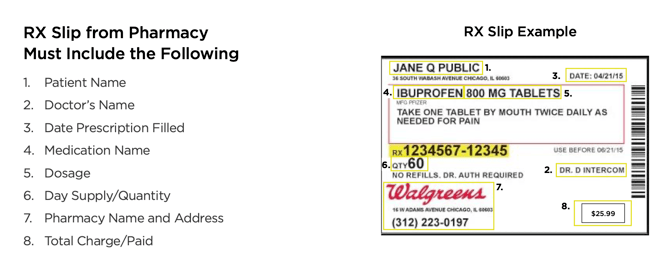
Not sure where to find the information required?
If you have a form that looks like this red form below, please just attach it to your request. It will have all the information we need.